
Vehicle wraps and opening the hood
Craft a Vehicle Wrap
Use three slimeballs in the top row and six identical full cube blocks in the remaining two rows:
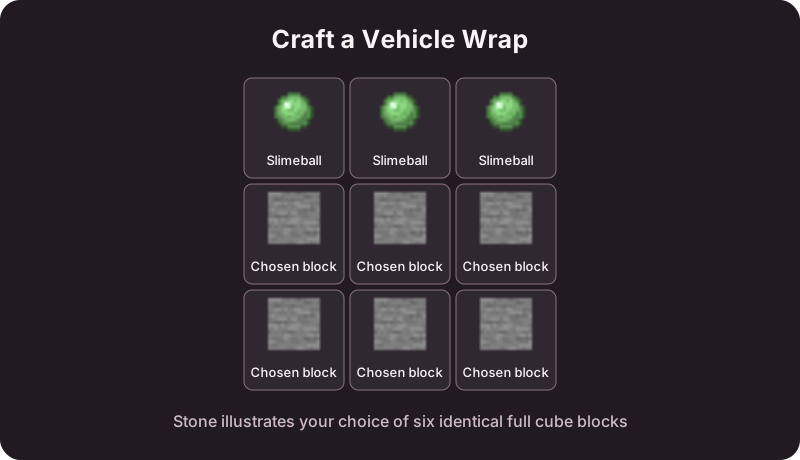
Right-click your parked vehicle with the wrap to apply its material. In survival, applying consumes one wrap. Only vehicles with a customizable body accept wraps; fixed details keep their own materials.
What stays with the vehicle
A wrap changes the body appearance while retaining tier, statistics, fuel, health, and storage. The choice persists through pickup and restart. It is a way to recolor or restyle a vehicle, not an upgrade from a standard tier to a sport or performance tier.
Pop a car's hood
Sneak-right-click the front of your parked car with an empty main hand. Repeat to close the hood. Sneak-clicking from the side or rear is still the pickup interaction, so stand at the correct end.
You must own the car or have the relevant access. A car with an older or custom body may not have the separate hood pieces needed for the animation.
Picking a look
Use a full cube block that suits your build and test in daylight and at night. Transparent body blocks can change the appearance substantially, but they do not remove the vehicle's collision or make it undamageable.
Related: buying a specific showroom material.